1. Introduction
The attributes locale and country in the Cyber Guru platform require values based on ISO 639 and ISO 3166-1 alpha-2 coding. For example, a user in the UK speaking English would have locale=en and country=UK.
If you don’t have these specific values in your Microsoft Entra User profile, here are some hints and tips to derive the values from other attributes.
2. Key Terms
-
Microsoft Entra: Microsoft’s online identity service that helps manage user access and security.
-
Provisioning: Automatically creating, updating, or removing user accounts in a connected application based on information in Microsoft Entra.
-
Application: Any online service or tool used by your organization (for example, HR software or a cloud-based service).
-
SCIM: A protocol used to simplify user provisioning (if your application supports SCIM).
-
Expression builder helps manage transformation rules and test expressions to be input in attribute mapping
3. Before You Begin
-
Make sure you have administrator access to Microsoft Entra. If you're not sure, contact your IT support.
4. Fixed value for locale and country
This applies when all the users are from the same country and speak the same language.
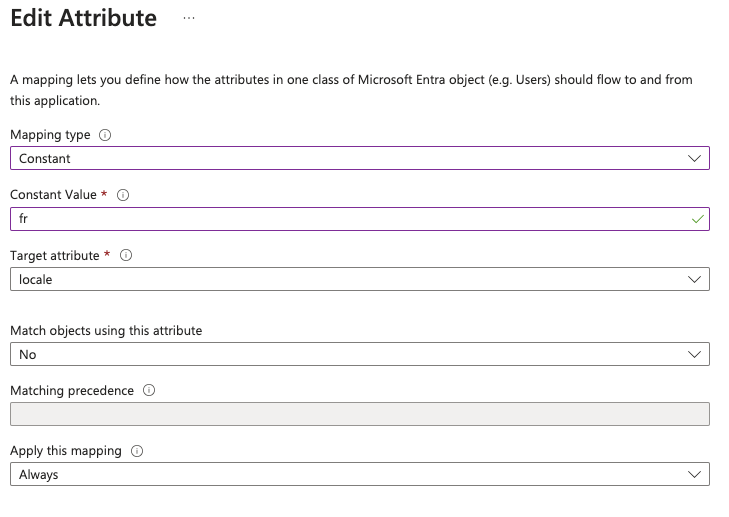
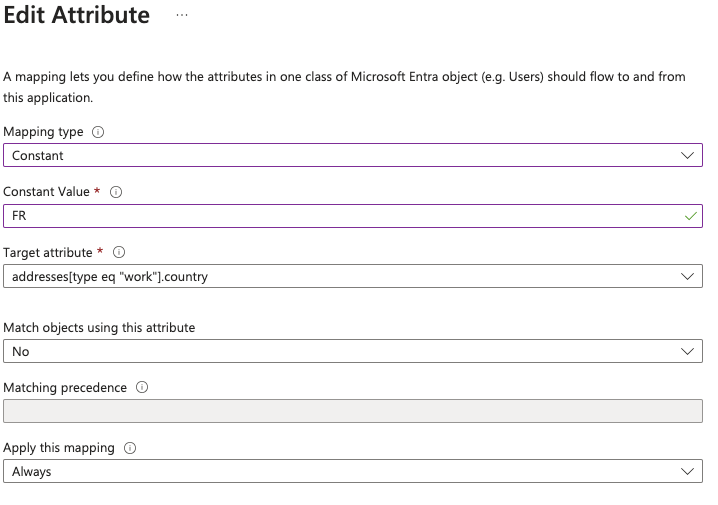
In the attribute mapping, we're going to use a constant. Suppose all the users are in France; we can set the locale to “fr” and the country to “FR” by choosing the mapping type as “Constant.”
5. Deriving locale and country from Preferred Language
This applies if the attribute Preferred Language in the user profile contains the value <two letters for language>-<two letters for country> (as per RFC 4646 standard)
For example: en-US, which defines "English" for the language and US for the country.
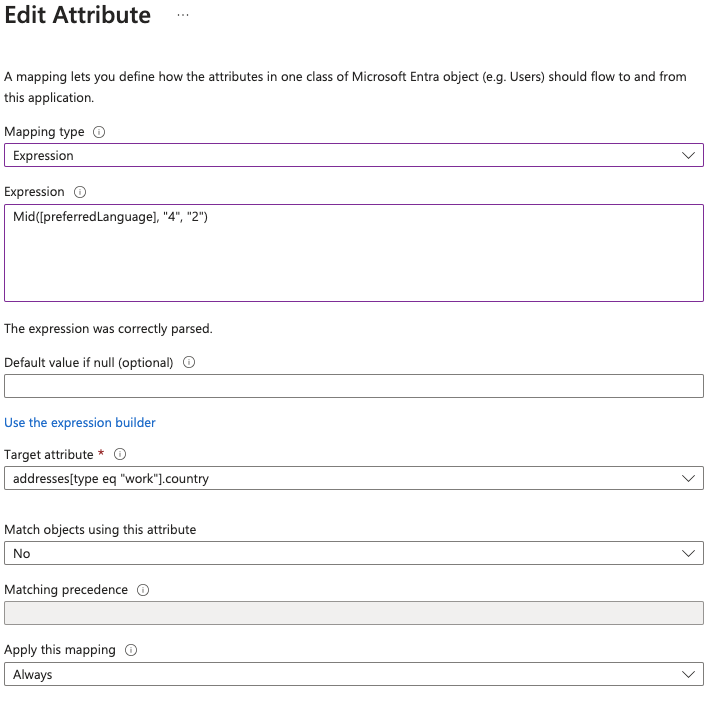
If this is the case, we can use the Mid function in the expression builder to derive the two values as substrings. Below is the example to be used in attribute mapping.
For locale:
Mid([preferredLanguage],”1”,”2”)For country:
Mid([preferredLanguage],”4”,”2”)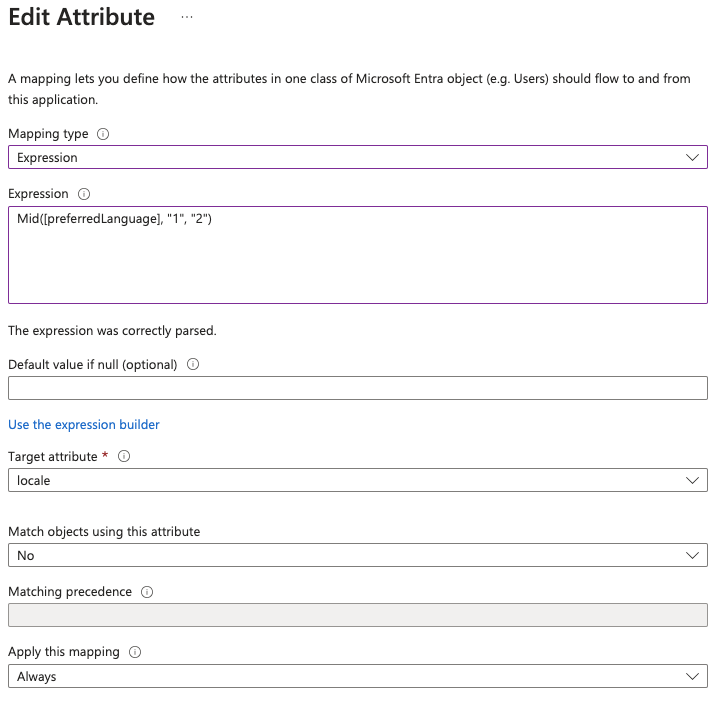
6. Evaluate locale and country from other attributes
Let’s assume there is no attribute in the user profile containing the values the Cyberguru platform expects for locale and country, but we have other attributes from which we can derive them.
For example, we might have the attribute “city” in which all the possible values are:
-
Rome
-
Turin
-
Berlin
-
London
-
Paris
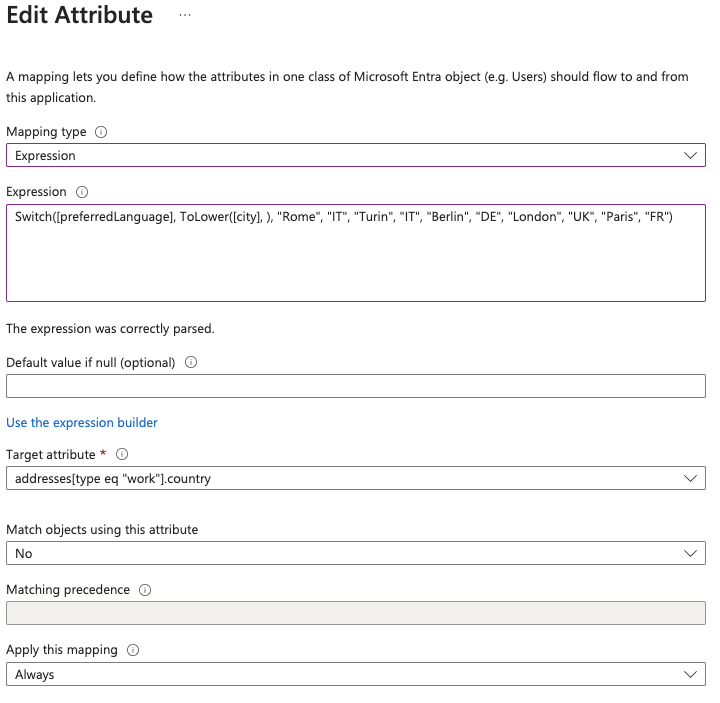
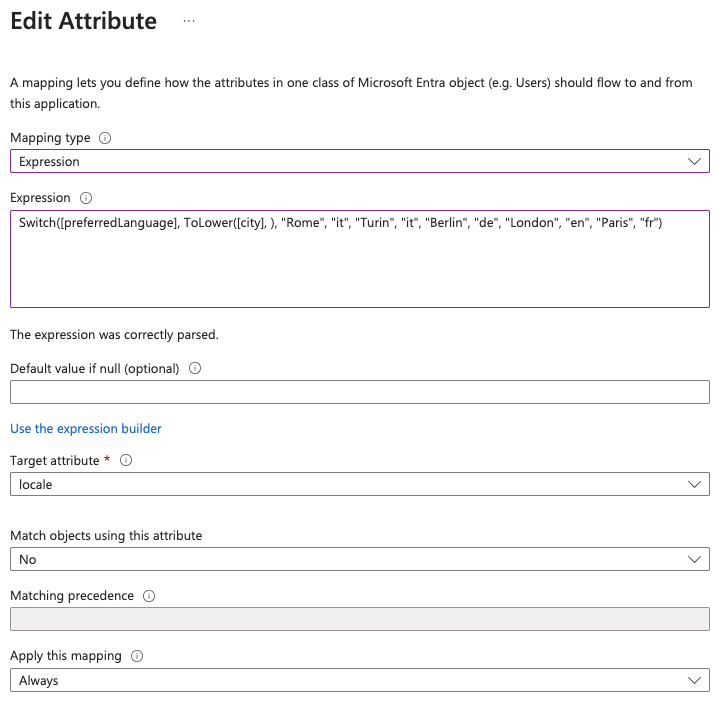
We can use the Switch function to set the locale and country from the city attribute value:
For locale:
Switch([preferredLanguage], ToLower([city], ), "Rome", "it", "Turin", "it", "Berlin", "de", "London", "en", "Paris", "fr")For country:
Switch([preferredLanguage], ToLower([city], ), "Rome", "IT", "Turin", "IT", "Berlin", "DE", "London", "UK", "Paris", "FR")Note: the first attribute of the Switch function is the “default” attribute. That means if there is no match with the value in the city attribute it will take the value of “preferredLanguage”. That is why it’s important the city attribute “must” contain a value included in the switch function. If users are added with different cities the Switch function must be updated accordingly.